All accommodation cancellations depend on the hotel’s cancellation policy. This policy is shown on LOGiC when you book and included in your hotel confirmation.
You can cancel your booking on LOGiC up to the day of arrival. If you want to cancel on the day of arrival, please contact our Accommodation team to arrange this.
Want to amend your booking instead? Click here for more information.
Example cancellation policy on LOGiC
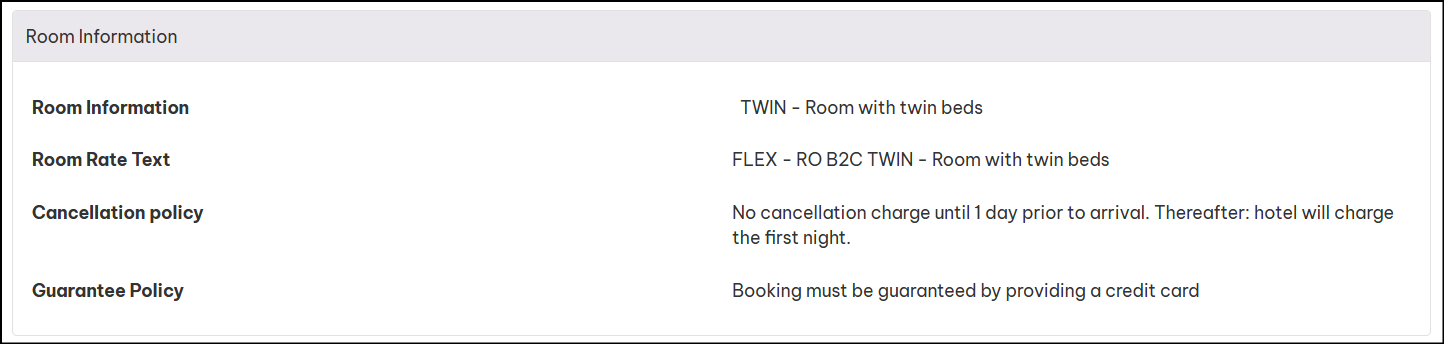
Example cancellation policy on PDF hotel confirmation:

Step by Step Guide
🔍 Step 1: Go to the Bookings Menu
From the LOGiC menu bar, click Bookings.
📄Step 2: Find Your Booking
Locate the booking you want to change and click the Cancel button.
⚠️ If you can't cancel online, the button will be greyed out, or you'll see a message asking you to contact our in-house team.
📋Step 3: Review and Accept
Review the booking details and cancellation policy. Tick the I Accept box, then click
Yes, Cancel This Booking.
✔️Step 4: Confirm Cancellation
You will see an on-screen confirmation. Click OK.
📧Step 5: Completion
Your booking is now cancelled. LOGiC will update your booking record and you will receive a cancellation confirmation email.